Release 2.46
Source Level Emissions, AVO & OGI Inspections, Average Measurement-Based Alarms & Average Device Data Exports
What's New
Source Level Emissions & Emission Rate Visualization
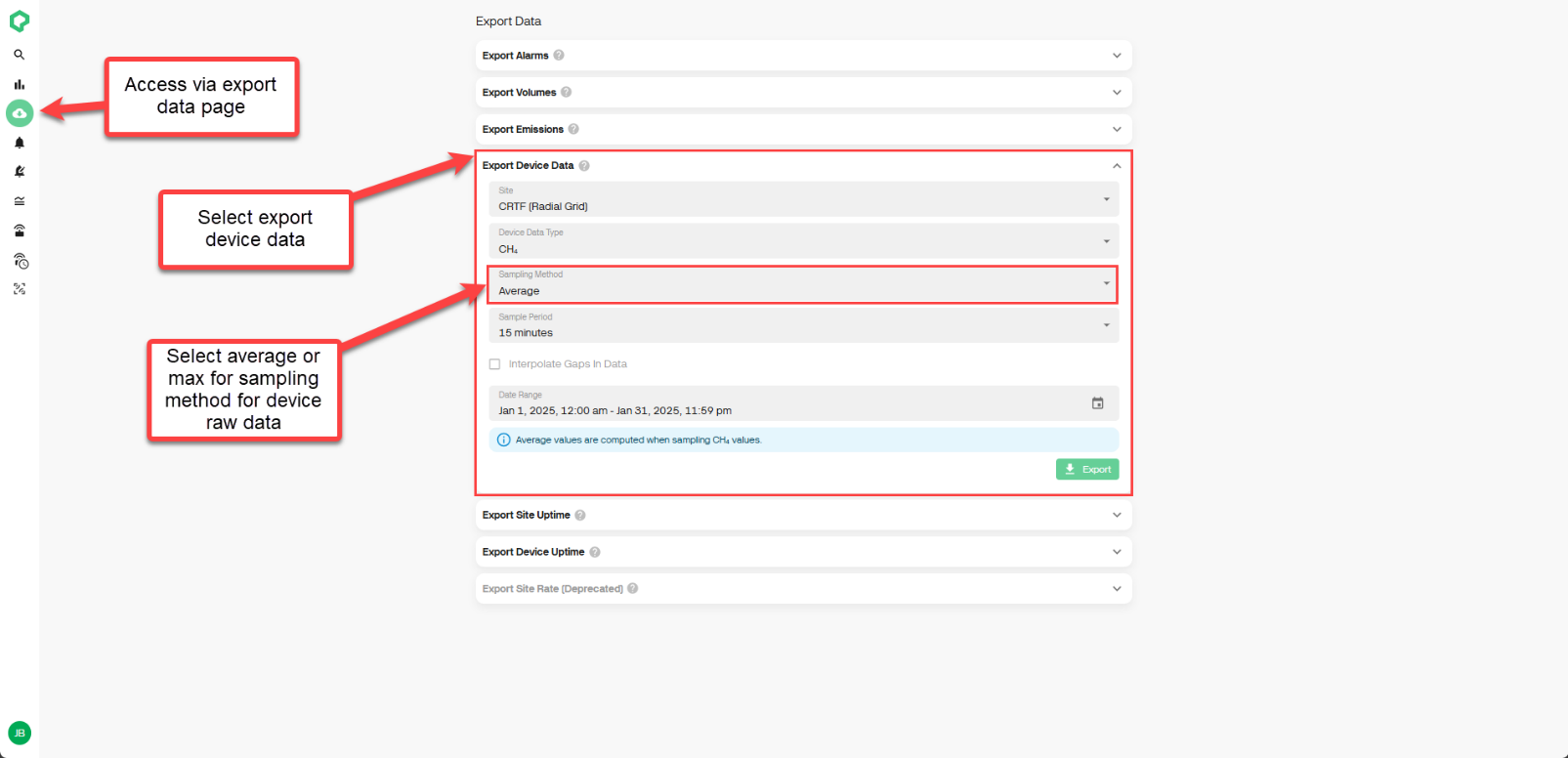
Take control of your site's emission data with new visualization capabilities designed to provide a clearer, more detailed view of source level emission rates. These enhancements include:
-
The new Source View on the CH
4Rate, which enables a more precise analysis of source-level emission trends through time. -
Expanded Emission Bar functionality, allowing users to refine emission tracking to the source level.
How this helps: Greater visibility into source level emissions, supporting more targeted mitigation efforts and improved compliance reporting.
AVO & OGI Inspections
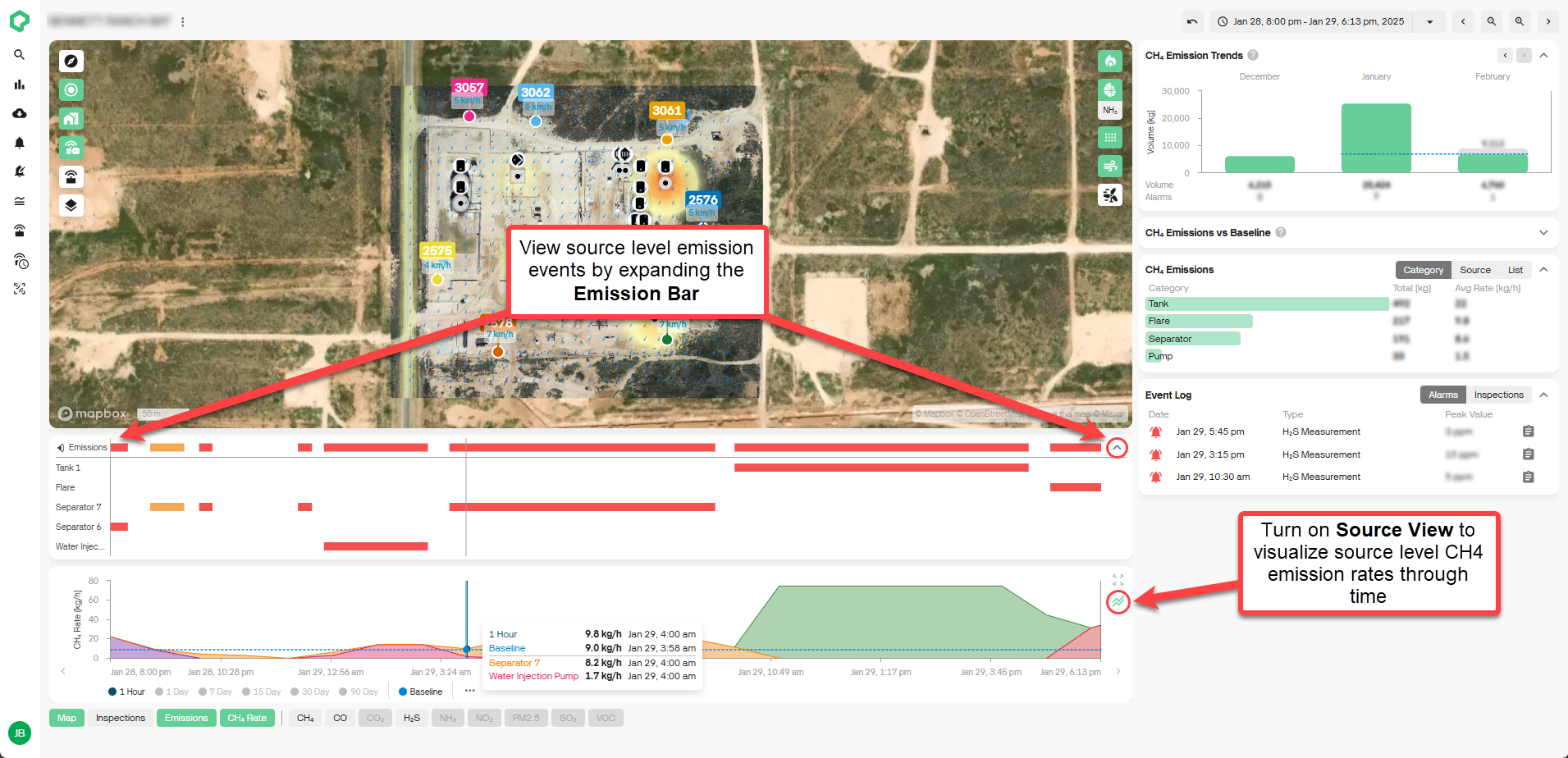
The platform now supports the ability to log and store survey-based inspections directly in the Qube platform with the new Survey Type inspection feature. Users can select from AVO (Audio, Visual, and Olfactory) or OGI (Optical Gas Imaging) inspection types, add inspection findings, and attach PDF, CSV, or image files for streamlined record-keeping and compliance tracking.
How this helps: Simplifies regulatory compliance by centralizing all leak detection and repair (LDAR) records in the platform, reducing administrative burden and improving historical data tracking.
Average Measurement-Based Alarms
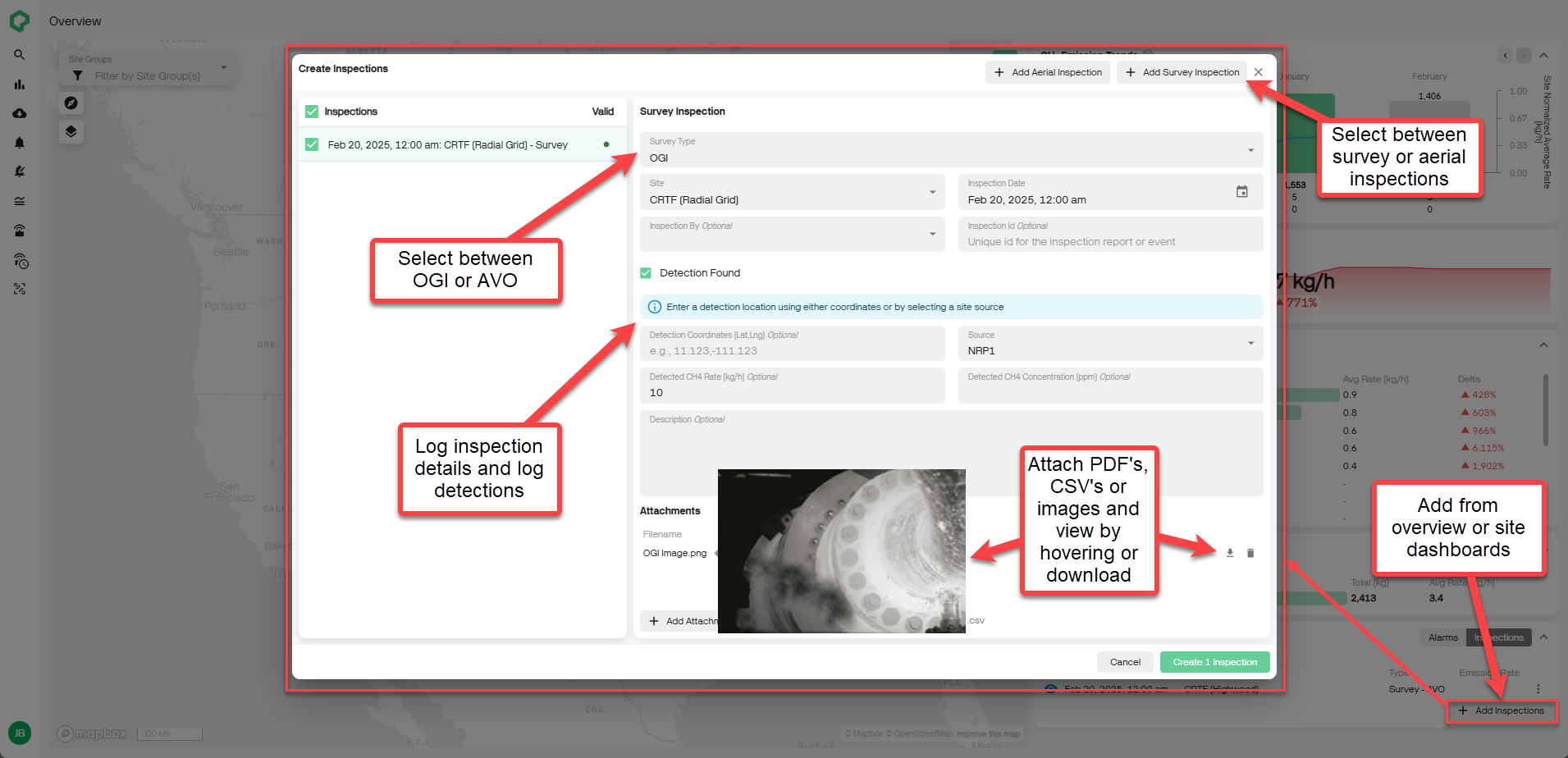
Create measurement level alarms based on average concentration data over time! When setting your alarm parameter, select "Average" instead of "Max" as the calculation method and define a desired averaging period (sliding window) to trigger alerts based on sustained concentration readings rather than single concentration spikes.
How this helps: Greater flexibility in alarm configuration, tailoring measurement-based alarms to your operational needs.
Average Device Data Exports
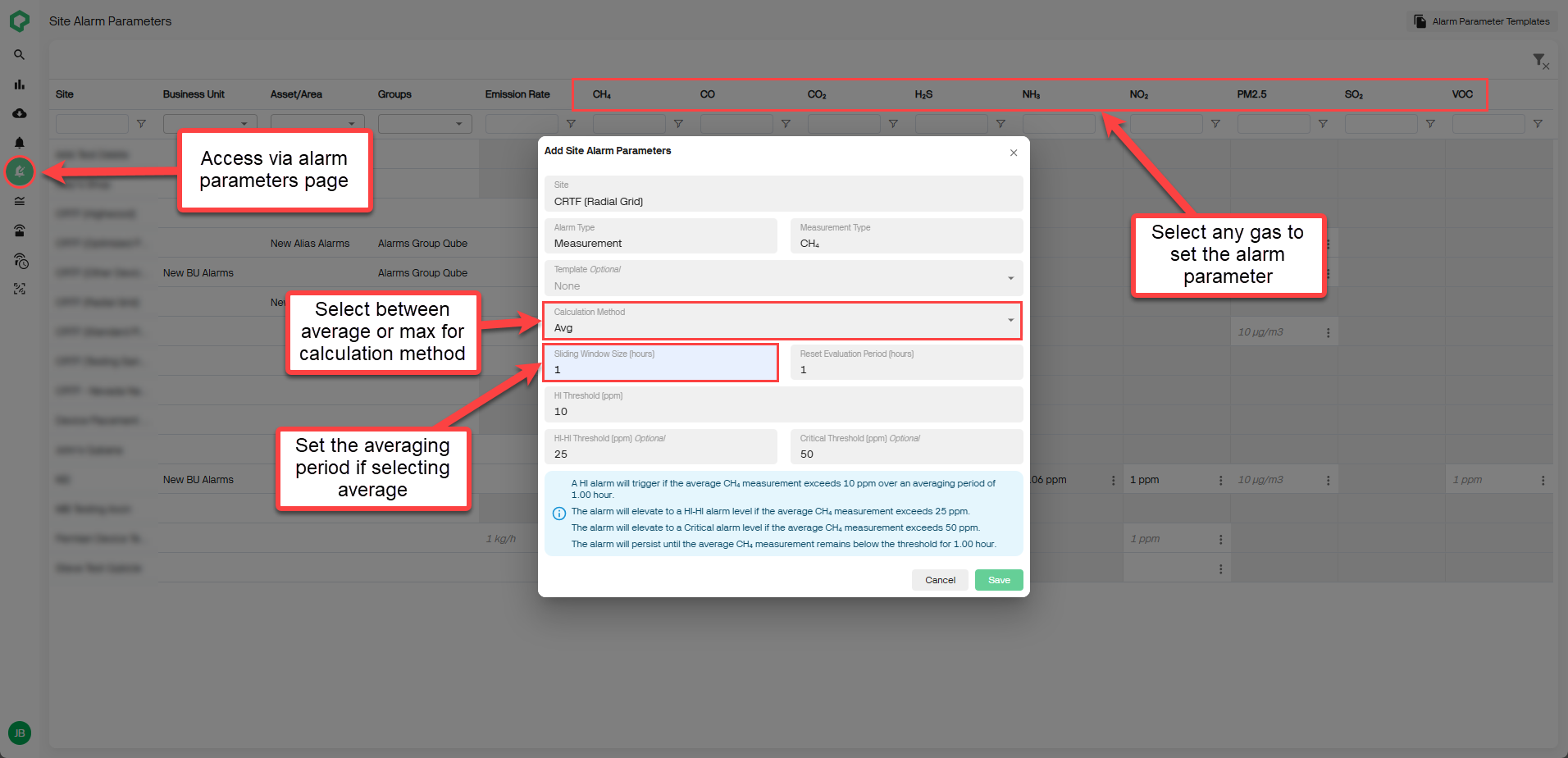
Export average device data directly from the platform. By navigating to the export data page, select "Export Device Data", select "Average" as the sampling method, and select from a sampling period of either 15 minutes, 1 hour or 1 day to generate reports with averaged measurements.
How this helps: Expands options for data exports, extracting the same averaged data displayed on the platform for offline analysis and integration into your external systems.